Discord RSS Feed Not Posting? A Troubleshooting Checklist
Diagnose missing, delayed, or duplicate Discord RSS posts by checking the source feed, channel permissions, delivery interval, filters, and daily cap.
 News.gg Team
Start with one feed, one Discord channel, and a specific article you expected to see. That gives you a way to tell whether the problem is with the publisher, your delivery settings, or Discord.
| What you see | What to check first |
|---|---|
| The dashboard cannot preview the feed | Open the exact feed URL and confirm it returns RSS or Atom |
| The dashboard previews the entry, but the channel is quiet | Check the destination, channel permissions, delivery interval, and filters |
| Posts arrived earlier but stopped today | Check the feed’s daily cap and configured timezone |
| The same story appears twice | Check for two feeds posting it into the same channel |
Check the source
Open the exact URL saved in the dashboard. A normal article page, sign-in screen, or access challenge is a different response from a public RSS or Atom feed. Find the item you expected in the feed itself. Some publishers update their website before updating their feed.
Check the destination and permissions
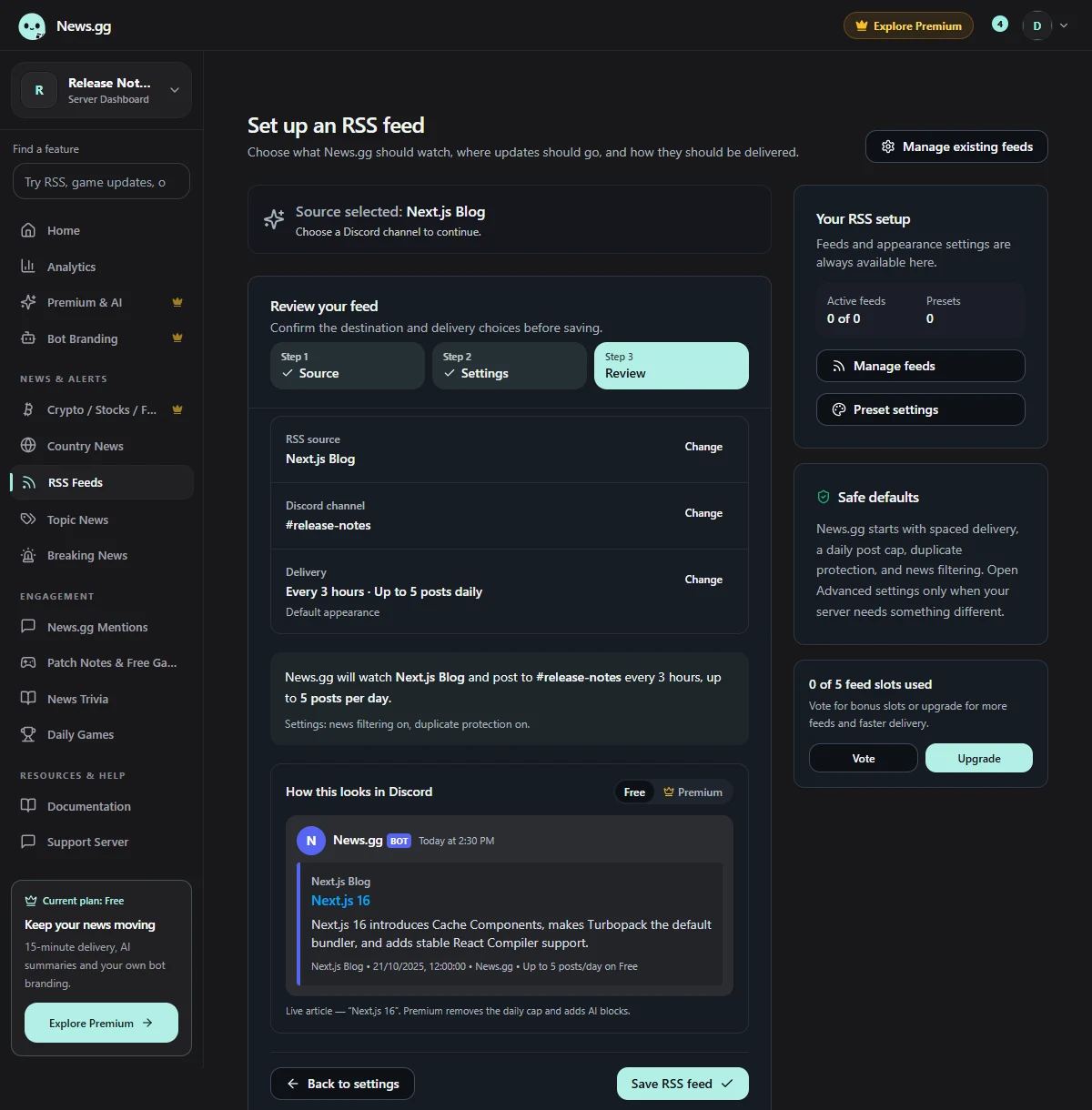
In your News.gg server dashboard, open RSS Feeds and review the saved channel. If you use a custom branded bot, check that bot’s permissions. In the destination channel, allow View Channel, Send Messages, Read Message History, and Embed Links. Channel overrides can still block a bot with access elsewhere in the server. Discord’s permissions guide
News.gg may send a temporary permission-test message and delete it when you save. Check for the next matching article to confirm ongoing delivery.
Check timing, caps, and filters
- Compare the item’s publication time with your configured delivery interval. The shortest interval on News.gg’s free plan is three hours.
- Check the Daily Post Cap. News.gg resets the cap at midnight in the timezone selected for the feed.
- Compare the actual feed entry with your include and exclude rules. If you change a filter, change one rule at a time and watch for the next matching item.
- For duplicates, look for the same source or a second publisher carrying the same story. Keep duplicate protection enabled and remove redundant subscriptions where practical.
For a fresh setup, follow the RSS-to-Discord walkthrough. If you need faster free checks or a higher feed limit, compare the free plans of four RSS bots.