Genshin Impact icon

Genshin Impact Patch Notes Discord Bot

Post Genshin Impact version update details to Discord from HoYoverse, linked to the official notice for each version.

Latest official note: "Hour of Ruin" Version 7.2 Update Details ·

genshin-updatesLatest post
News.ggAPP
Genshin Impact

🎮 Genshin Impact - "Hour of Ruin" Version 7.2 Update Details

Below are the details of the Version 7.2 update "Hour of Ruin" and the update compensation.

Compensation Details
• Maintenance Compensation: Primogems ×300 (60 Primogems per hour the servers are down) • Issue Fix Compensation: Primogems ×300 (please refer to the relevant compensation mail for more details)
Scope of Compensation
• Maintenance Compensation: Travelers who have reached Adventure Rank 5 or above by 2026/11/04 06:00 (UTC+8). • Compensation must be claimed before the end of Version 7.2.
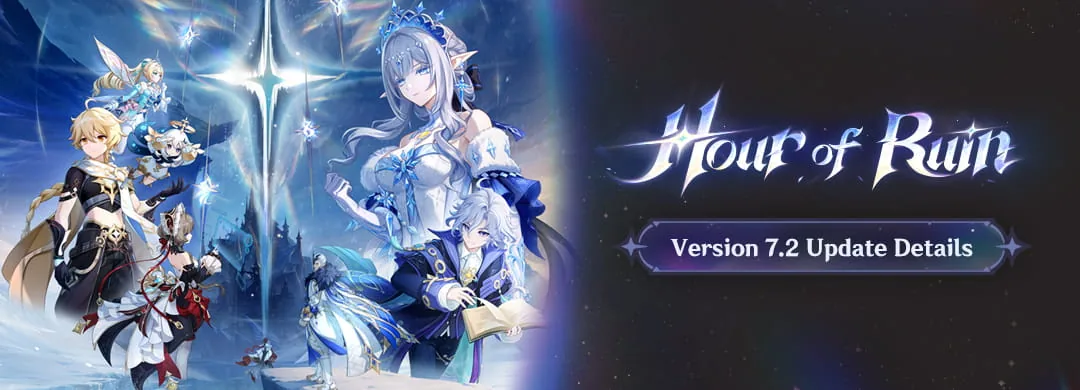
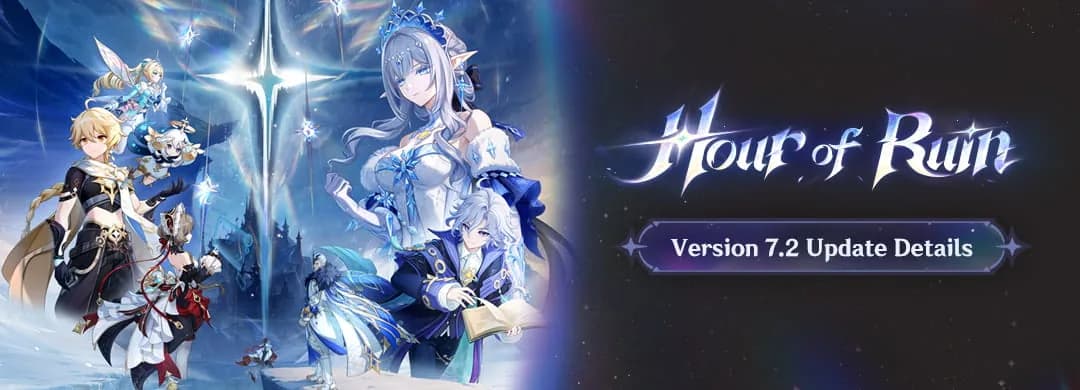
"Hour of Ruin" Version 7.2 Update Details header image
Image: genshin.hoyoverse.com
News.gg Patch Notes Engine • Genshin Impact

Latest Genshin Impact patch notes

A short excerpt of the newest official note, in the same format News.gg posts to Discord. Captured November 24, 2026; the full notes are on genshin.hoyoverse.com.

"Hour of Ruin" Version 7.2 Update Details header image from genshin.hoyoverse.com
genshin.hoyoverse.com

"Hour of Ruin" Version 7.2 Update Details

Below are the details of the Version 7.2 update "Hour of Ruin" and the update compensation.

Compensation Details

  • Maintenance Compensation: Primogems ×300 (60 Primogems per hour the servers are down)
  • Issue Fix Compensation: Primogems ×300 (please refer to the relevant compensation mail for more details)

Scope of Compensation

  • Maintenance Compensation: Travelers who have reached Adventure Rank 5 or above by 2026/11/04 06:00 (UTC+8).
  • Compensation must be claimed before the end of Version 7.2.
  • Issue Fix Compensation: Travelers who have reached Adventure Rank 5 or above by 2026/11/04 06:00 (UTC+8).

Update Schedule

  • Update maintenance begins 2026/11/04 06:00 (UTC+8) and is estimated to take 5 hours.

How to Update Game Client

  • PC: Close the game, open the Genshin Impact Launcher, and click Update.
  • iOS: Open the App Store and tap Update.
  • Android: Open the game and follow the directions on-screen.
Read the full Genshin Impact notes on genshin.hoyoverse.com

How to post Genshin Impact patch notes in Discord

  1. Invite News.gg to a server you manage. Run /setup in that server if you want to start the general News.gg onboarding wizard.
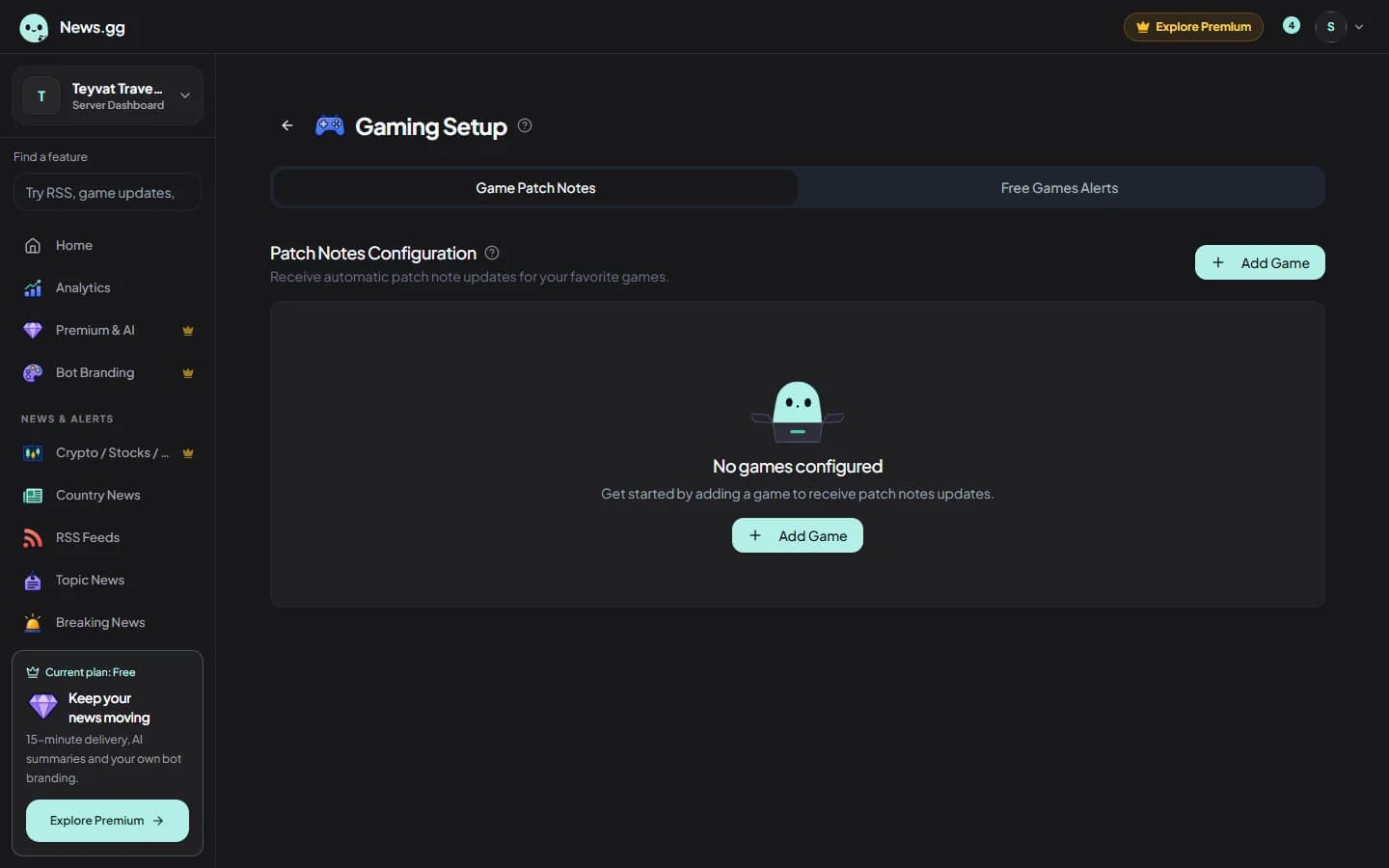
  2. Open your server in the News.gg dashboard. Go to Patch Notes & Free Games, select Game Patch Notes, then click Add Game.
  3. Search for Genshin Impact, select the game, and choose a text channel such as #genshin-updates. Allow the bot to send messages and embed links, then save.
  4. News.gg posts the current notes once so you can check the channel, then posts each new Genshin Impact note as it is published.
/setup
News.gg dashboard Gaming Setup page with the Game Patch Notes tab and the Add Game button, before adding Genshin Impact
Step 2. Gaming Setup: the Game Patch Notes tab and the Add Game button.
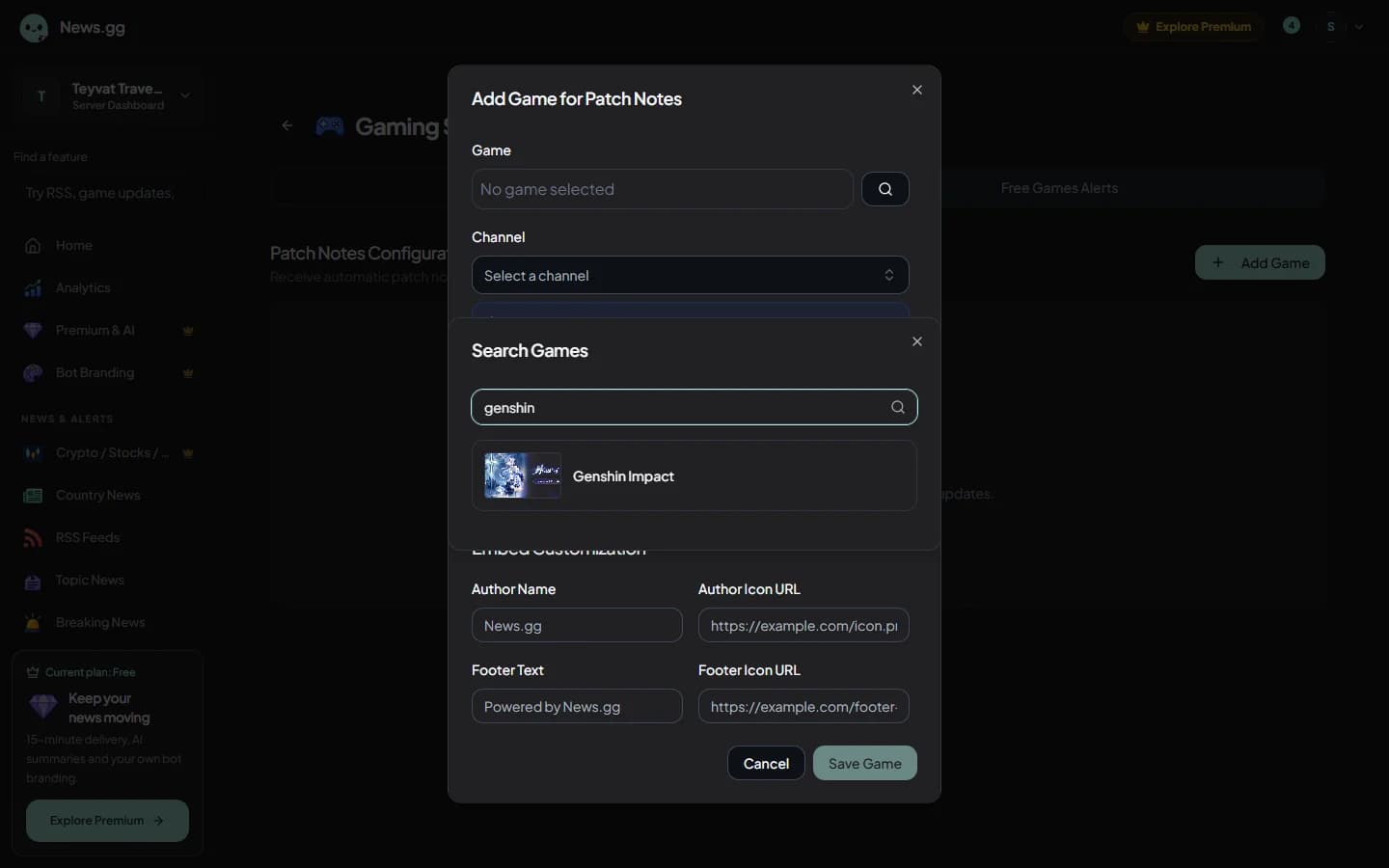
Search Games dialog in the News.gg dashboard with Genshin Impact typed in and matching results
Step 3. Search for Genshin Impact and pick it from the results.
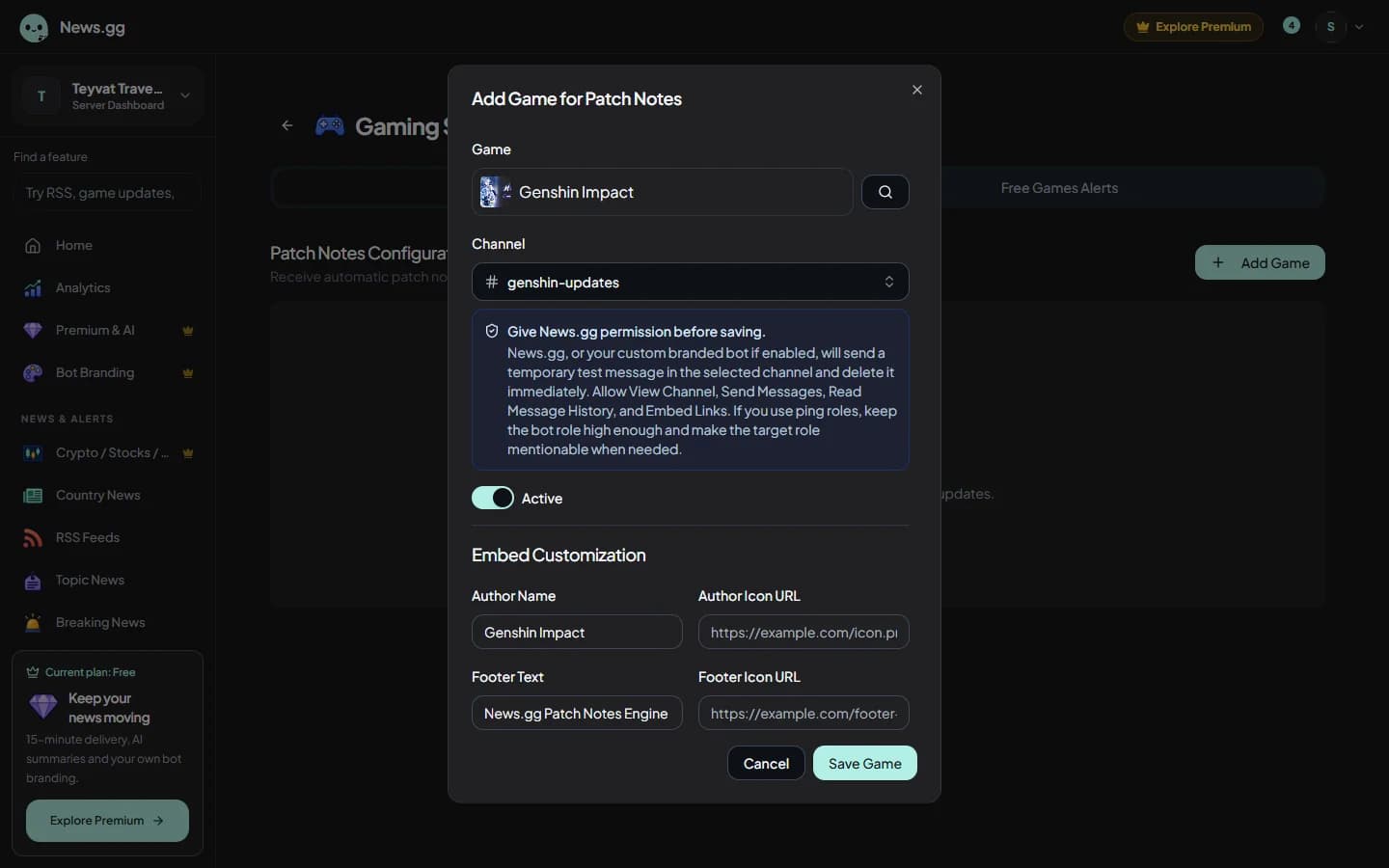
Add Game for Patch Notes form with Genshin Impact, a Discord channel, the active toggle and embed options filled in
Step 4. Choose the channel, then optionally change the author and footer. The embed color and a ping role are further down the form.
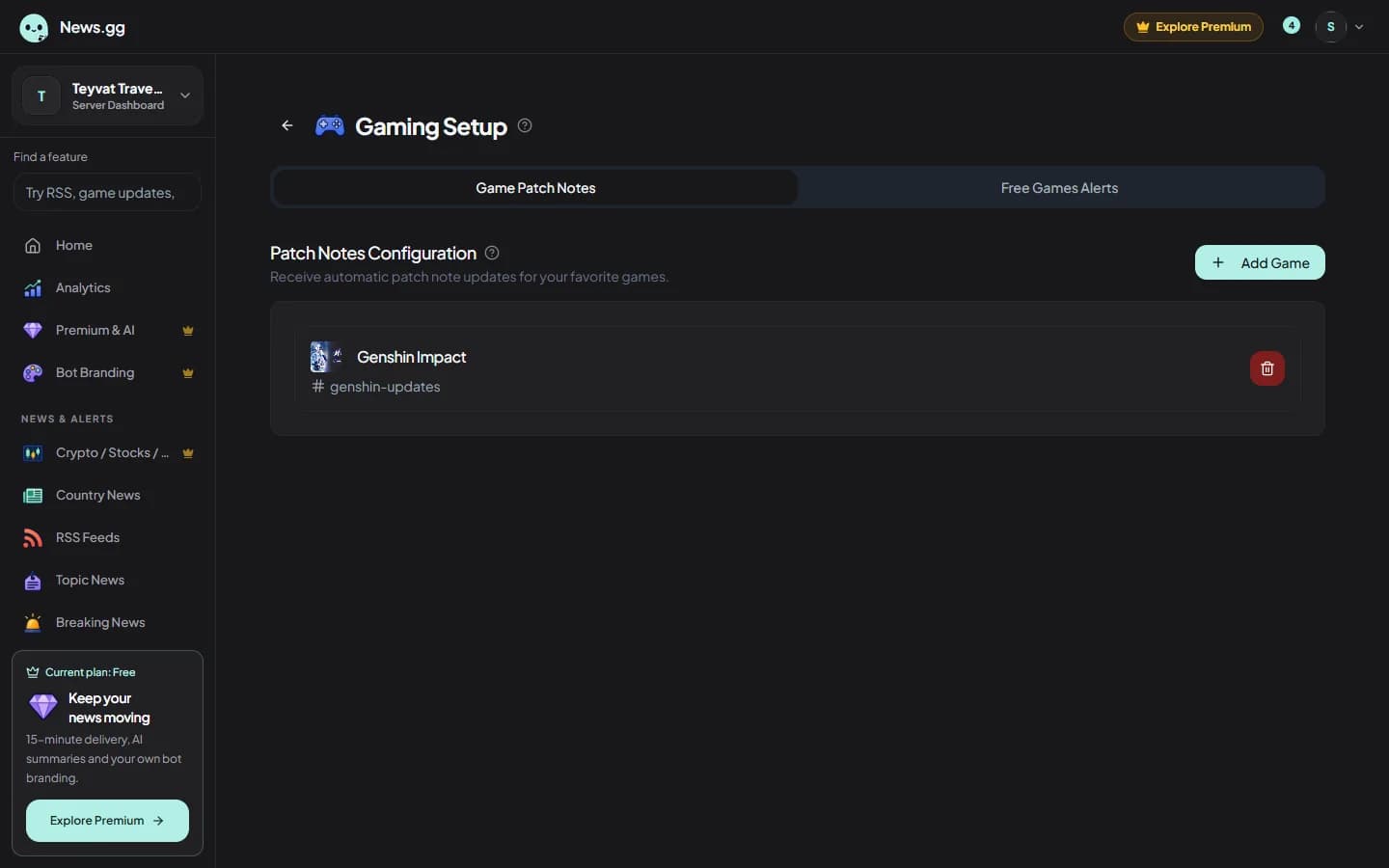
Game Patch Notes list in the News.gg dashboard showing Genshin Impact configured with its channel
Step 5. Genshin Impact appears in the list, where you can edit or remove it.

Official Genshin Impact update source

The Genshin Impact feed posts the official Version Update Details notice for each new version. Event and banner announcements are not posted.

Genshin Impact news from HoYoverse

Keep your patch channel useful

Version updates arrive every few weeks, so the feed is quiet between versions. It fits in an existing announcements channel if you would rather not add a new one.

Genshin Impact patch notes bot FAQ

How often does News.gg check for new Genshin Impact patch notes?

Every 30 minutes. News.gg reads the official Genshin Impact source and posts a note the first time it sees it, so each patch is posted once.

Where do the Genshin Impact patch notes come from?

The Genshin Impact feed posts the official Version Update Details notice for each new version. Event and banner announcements are not posted. Every post links to the full notes on the publisher's site.

Will it post anything as soon as I save?

Yes. When you save the game, News.gg posts the current notes once so you can check the channel and permissions. After that it only posts new notes.

Can I change how the Discord post looks?

Yes. The Add Game form lets you set the embed color, the author name and icon, and the footer text and icon for each game.

Do game patch notes need Premium?

No. You can add games for patch notes without Premium. Free game alerts, on the same dashboard page, are a Premium feature.