Rocket League Patch Notes Discord Bot
Post Rocket League patch notes to Discord from the official Rocket League news page, linked to the full notes for each version.
Latest official note: Rocket League Patch Notes v2.79

🎮 Rocket League - Rocket League Patch Notes v2.79
Version 2.79 of Rocket League, with the full list of changes and fixes in the official notes.

 News.gg Patch Notes Engine • Rocket League
How to post Rocket League patch notes in Discord
- Invite News.gg to a server you manage. Run
/setupin that server if you want to start the general News.gg onboarding wizard. - Open your server in the News.gg dashboard. Go to Patch Notes & Free Games, select Game Patch Notes, then click Add Game.
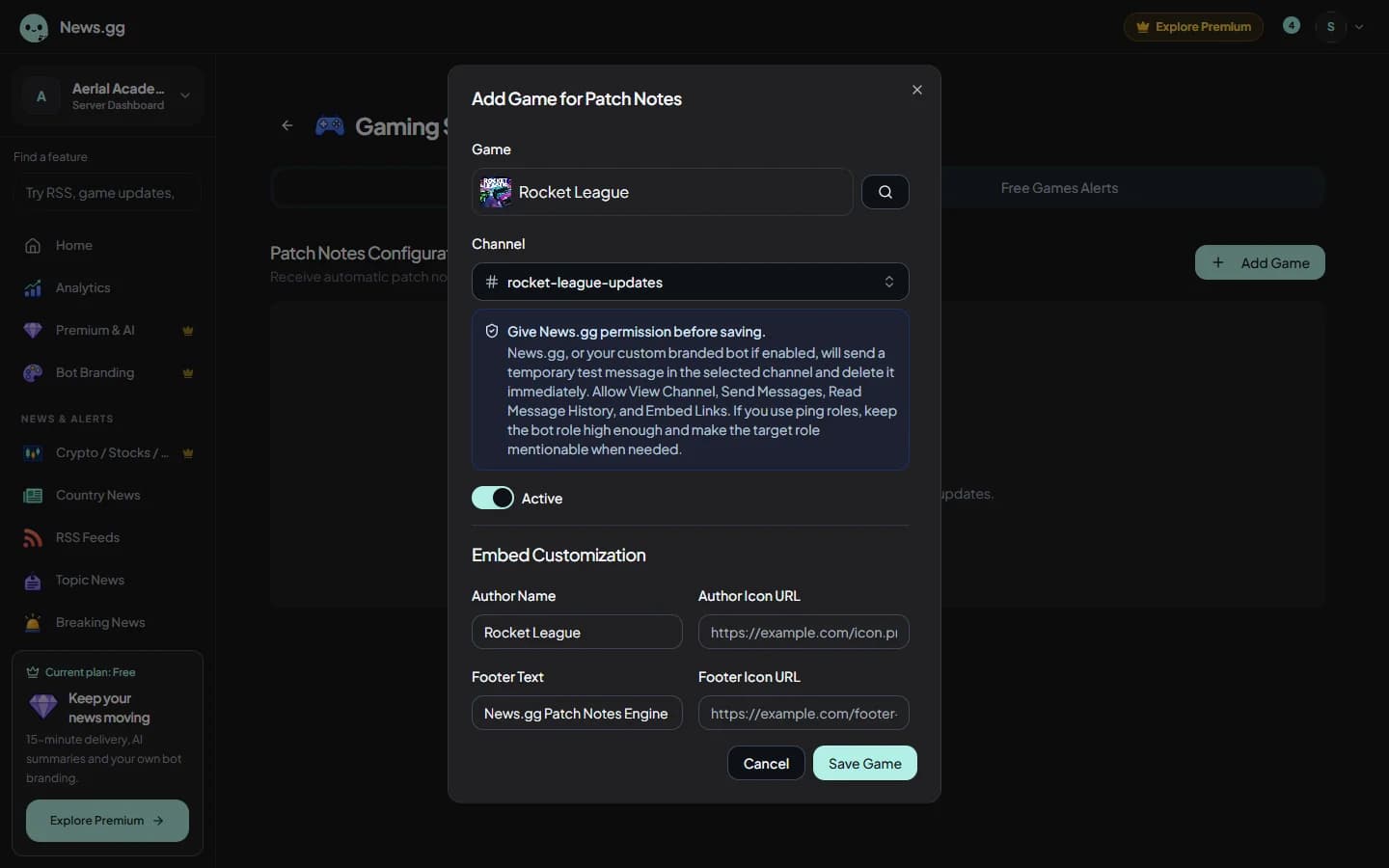
- Search for Rocket League, select the game, and choose a text channel such as
#rocket-league-updates. Allow the bot to send messages and embed links, then save. - News.gg posts the current notes once so you can check the channel, then posts each new Rocket League note as it is published.
/setup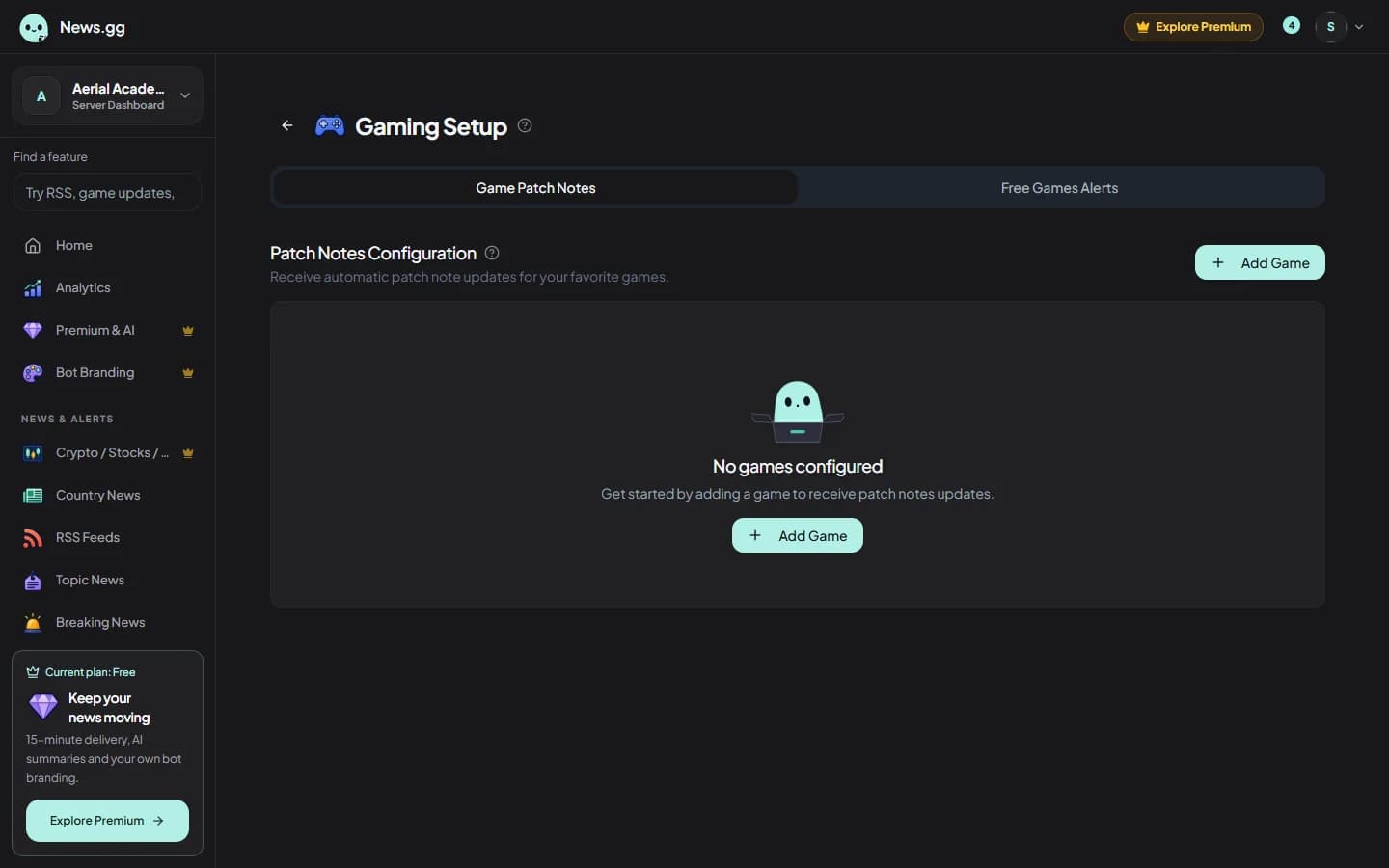
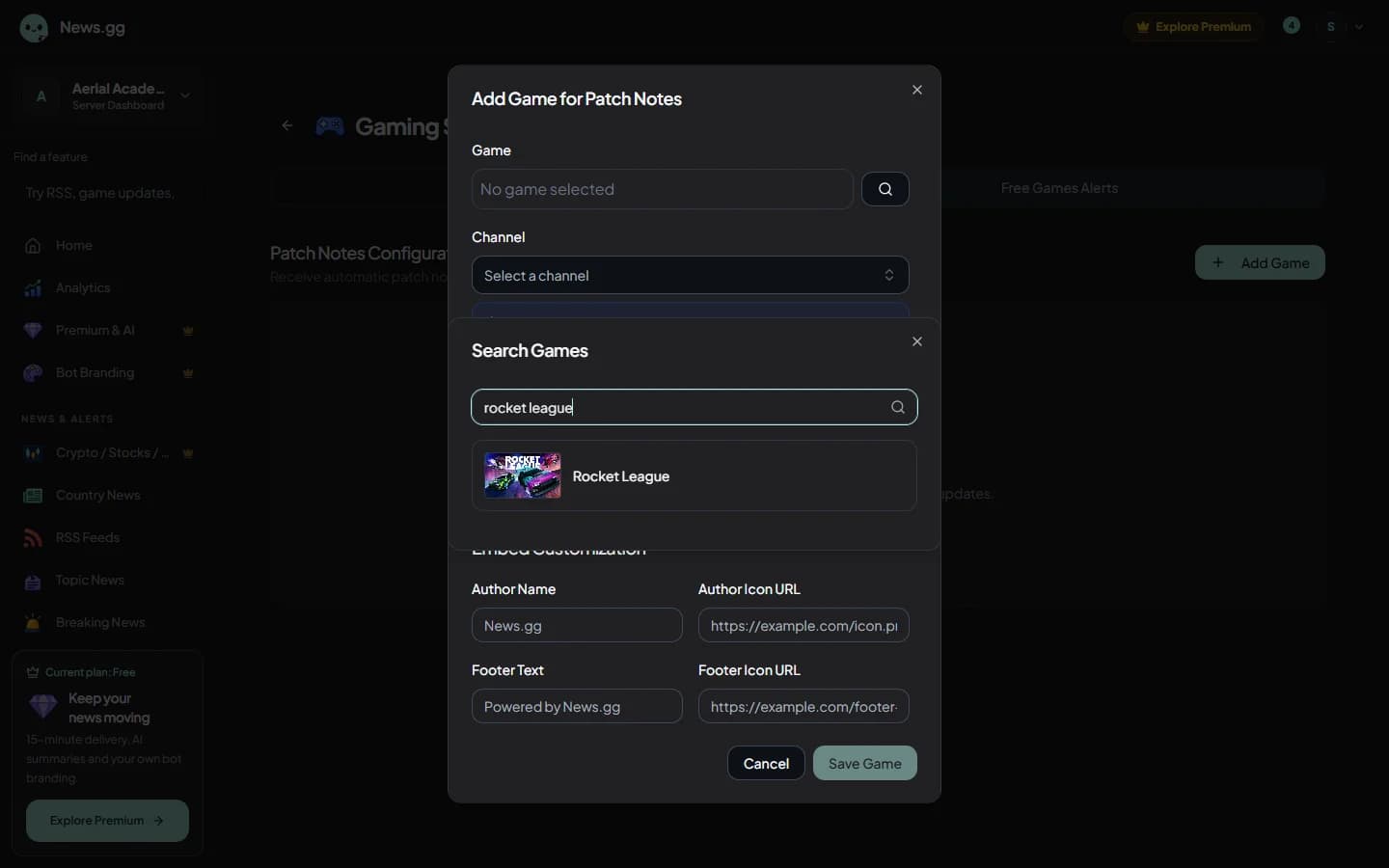
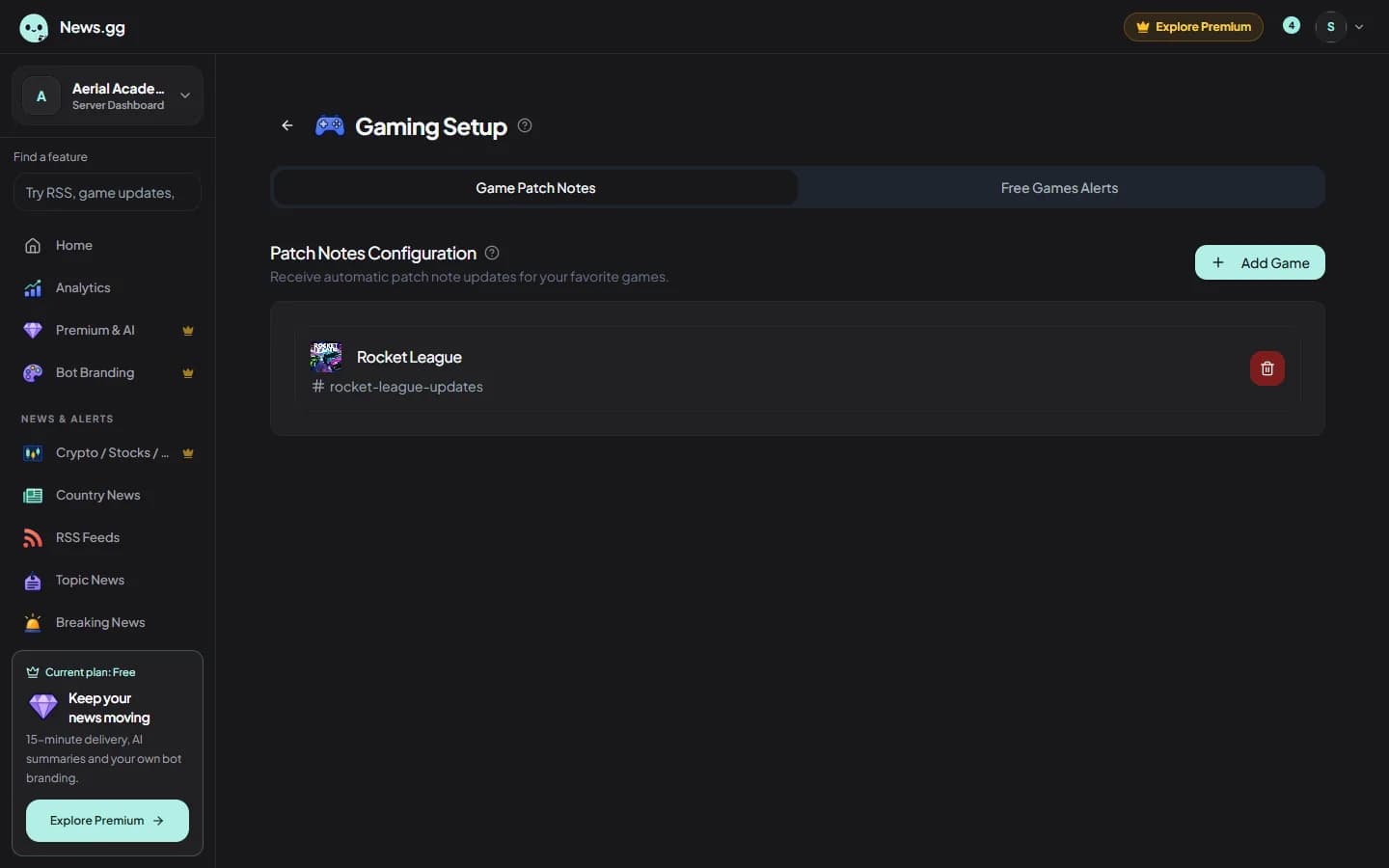
Official Rocket League update source
The Rocket League feed only posts the versioned patch-notes articles from the official news page, not item shop or esports announcements.
Rocket League news from PsyonixKeep your patch channel useful
Patch notes usually arrive with each season launch and the smaller fix updates between seasons. A single updates channel is enough for most servers.
Rocket League patch notes bot FAQ
How often does News.gg check for new Rocket League patch notes?
Every 30 minutes. News.gg reads the official Rocket League source and posts a note the first time it sees it, so each patch is posted once.
Where do the Rocket League patch notes come from?
The Rocket League feed only posts the versioned patch-notes articles from the official news page, not item shop or esports announcements. Every post links to the full notes on the publisher's site.
Will it post anything as soon as I save?
Yes. When you save the game, News.gg posts the current notes once so you can check the channel and permissions. After that it only posts new notes.
Can I change how the Discord post looks?
Yes. The Add Game form lets you set the embed color, the author name and icon, and the footer text and icon for each game.
Do game patch notes need Premium?
No. You can add games for patch notes without Premium. Free game alerts, on the same dashboard page, are a Premium feature.